
How Ribora works

From a WhatsApp message to your monthly profit.

Follow one booking from the enquiry to the month-end split. Six steps, one place.

The journey of a booking

Six steps. One place.

Khalid books Farm House 2 for his son's birthday, Saturday from 6 pm until 2 am.

  1. 1The enquiry
  2. 2Add the booking
  3. 3Payments and deposit
  4. 4Check-in day
  5. 5Costs and partners
  6. 6Month end
Step 1

The guest messages you, like always

Bookings still come by WhatsApp, calls and Instagram. Ribora never talks to your guests unless you send something.

Still in the chat? Check the calendar: a taken Saturday shows straight away.

Salam, is the farm free Saturday 14th for a birthday? Around 100 people, 6pm till late 🙏
Wa alaikum salam. Yes it's free. 6,000 for the evening, until 2am. Chairs and lights 800 extra.
Perfect, book it. I'll send the advance now.
The guest's own WhatsApp · not part of Ribora
Step 2

Add the booking in about 30 seconds

Pick the property, the date and the type. Your usual times fill in; change only what's different.

  • Overnight, Day use, Event / Party
  • An event ending at 2 am stays on Saturday
  • A warning if it clashes with another booking
New booking
OvernightDay useEvent / Party
PropertyFarm House 2
DateSat 14 Nov
Time6:00 PM → 2:00 AM next day
GuestKhalid Al Mansoori
Rent6,000
ExtrasChairs and lights · 800
Saturday is free at Farm House 2
Step 3

Record the advance, the balance and the deposit

Each payment is saved with its date and method. The deposit stays separate: it isn't income unless you keep it.

The guest pays you directly, in cash or by transfer, as today. Ribora only records it.

Money · Khalid Al Mansoori
Rent6,000
Extras800
Total6,800
Advance · bank transferTue 3 Nov
Balance · cashSat 14 Nov
Paid in full✓
Security deposit 2,000 held
Not counted as income
Step 4

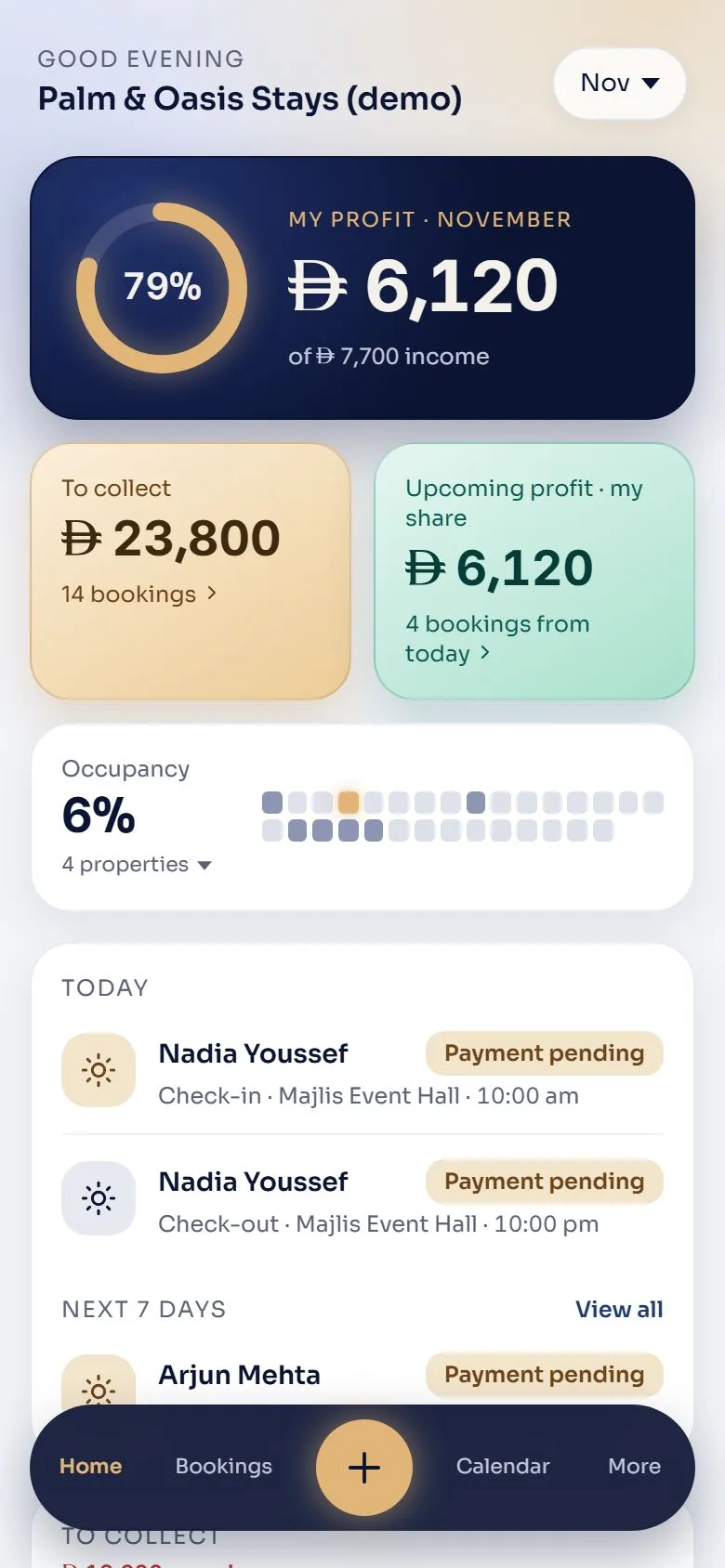
On the day, open Home

Today shows who arrives, who leaves and who still owes you. On Max, Staff can have a login that shows only their properties.

  • Tap Check in, and the time is saved
  • Send the confirmation on WhatsApp in one tap
Today · Sat 14 Nov
Khalid Al MansooriEvent · Farm House 2 · 6:00 PM
Fatima NoorOvernight · Oasis Villa · 3:00 PM
Mohammed SaifCheck-out · Palm Chalet · 11:00 AM
Step 5

Log the costs and the partner's share

Add an expense with a receipt photo. Set a partner's percentage once (Pro); Ribora does the sums every month.

Renting the property from its owner? Set the owner deal instead (Pro), and record each payment to the owner.

Expenses · Farm House 2 · November
DEWA450
Garden maintenance400
Lights and chairs hire650
Expenses1,500
HHamdan · partner
25% of Farm House 2 profit
Step 6

At month end, see what's yours

Reports show income, costs and profit per property, then each share. Send a partner their statement (Pro), or an owner theirs (Max).

  • Profit per property and for the whole business
  • Owner statements, gross to net, line by line (Max)
  • CSV export on every plan; full Excel export on Pro and Max
November · Farm House 2
Income · 6 bookings20,500
Expenses− 1,500
Profit19,000
Hamdan · 25%− 4,750
My share14,250
Partner statement · Hamdan · November
How the money adds up

No hidden maths.

Which money is really yours? Here's exactly how Ribora works it out, gross to net.

Rent6,000
+
Extras800
=
Booking income6,800
All November income20,500
−
Expenses1,500
=
Property profit19,000
−
Partner 25%4,750
=
My share14,250

Deposits stay out. A deposit is never income. Keep part of it for damage, and only that part counts.

Booked vs received. Reports show the month's bookings and, on Pro and Max, the cash that came in.

Dirhams by default. Businesses outside the UAE use their own currency. Ribora never converts.

Ribora's Home screen on a phone, in the light look
Phone first

Built for your phone. Comfortable on a laptop.

Most owners run the business from their phone. Every screen is made for one hand first.

  • The Android app, or install it on Windows
  • One account on your phone, tablet and laptop
  • English or Arabic, light or dark
Getting set up

Ready before your next guest arrives.

No training, no consultant, no sales call. Most owners finish in one sitting.

  1. 1

    Create your business

    Name, country and logo. Currency and time zone follow the country.

  2. 2

    Add your properties

    Farm, chalet or venue, with your usual times and booking types.

  3. 3

    Bring your bookings in

    Type the upcoming ones, or upload your Excel or CSV sheet (every plan; AI help: Max).

See it for yourself

Click through a sample business.

Three properties, real-looking bookings and a full month of money.